
Private. Secure.
Family Connection Where Safety Comes First.
Your family's private digital living room across iPhone, iPad, Android, and Web. Bridge immediate and extended family spaces with end-to-end encrypted chat, real-time calendar RSVPs, star-reward chores, live Family Finder maps, and a 5-step Kinship Connection Gate that keeps strangers out.
Bridge Immediate & Extended Family Spaces Safely
Generic chat apps mix everyone into exposed group threads. Kinfolk Circle lets you create dedicated household circles, 1-on-1 direct messages, personal Notes to Self, and Extended Family Circles that bridge two family spaces—while keeping chores, vaults, and SOS private to each household.
-
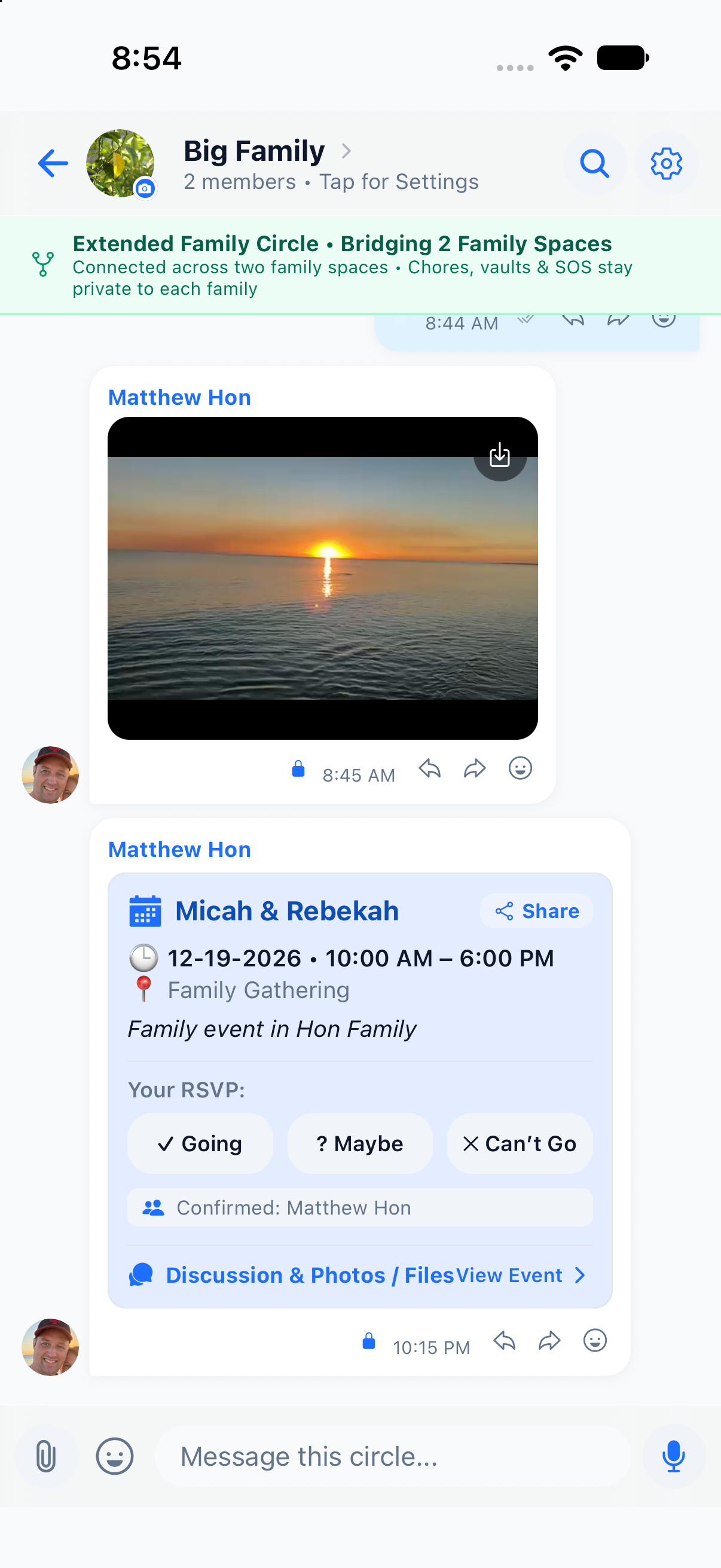
Extended Family Circle Bridging: Connect grandparents, aunts, and uncles across family spaces without exposing your household's internal chore board or private vault.
-
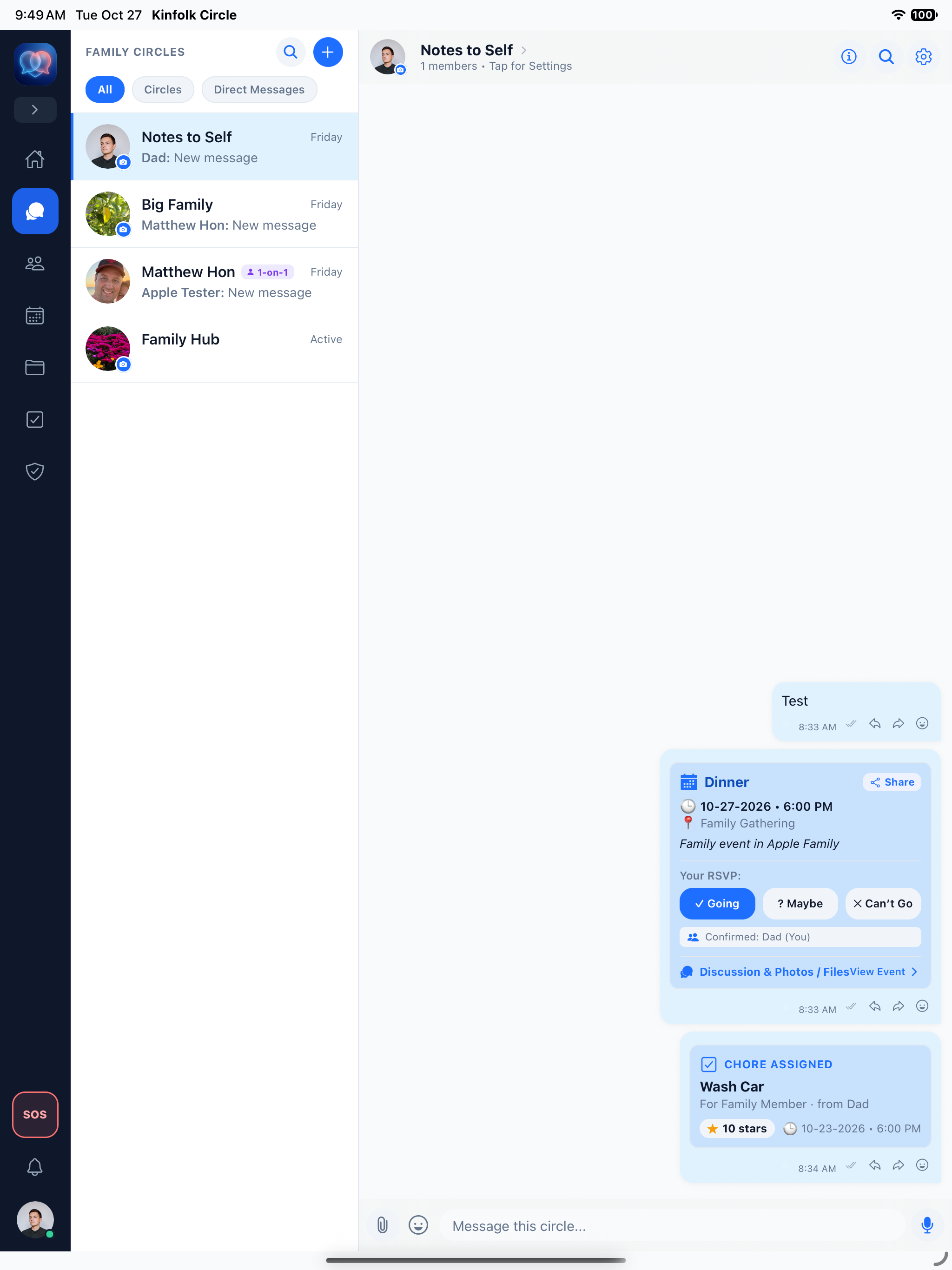
Interactive Event & Chore Cards in Chat: Share events with inline Going / Maybe / Can't Go RSVP buttons and assign star-reward chores directly inside conversations.
-
Rich Media, Voice Notes, Emojis & GIFs: Share full-resolution family photos, voice clips, documents, and reactions protected by end-to-end encryption.
-
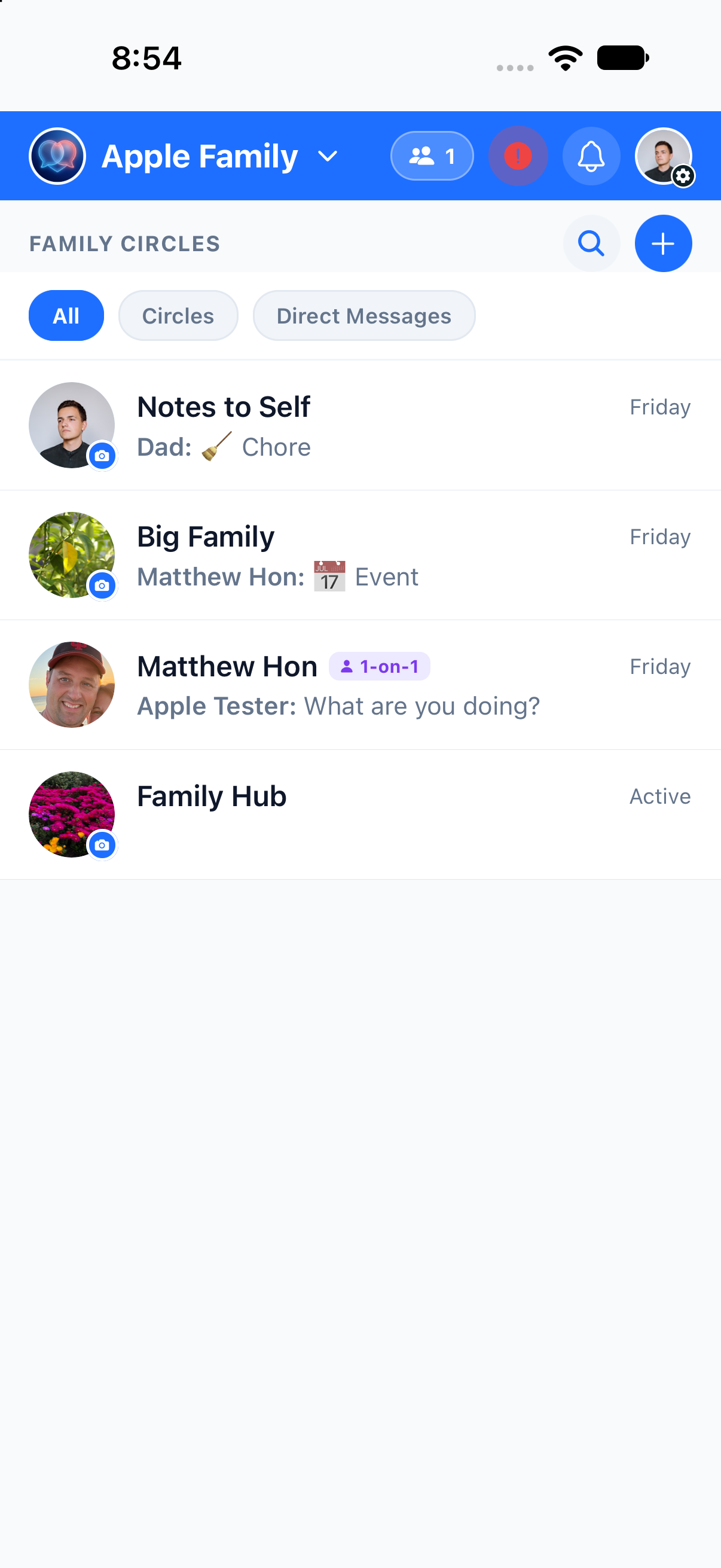
Smart Circle Filters: Switch effortlessly between All, Circles, and Direct Messages or jump to your tablet/web dashboard.
5-Step Verification Required for Every Relative Connection
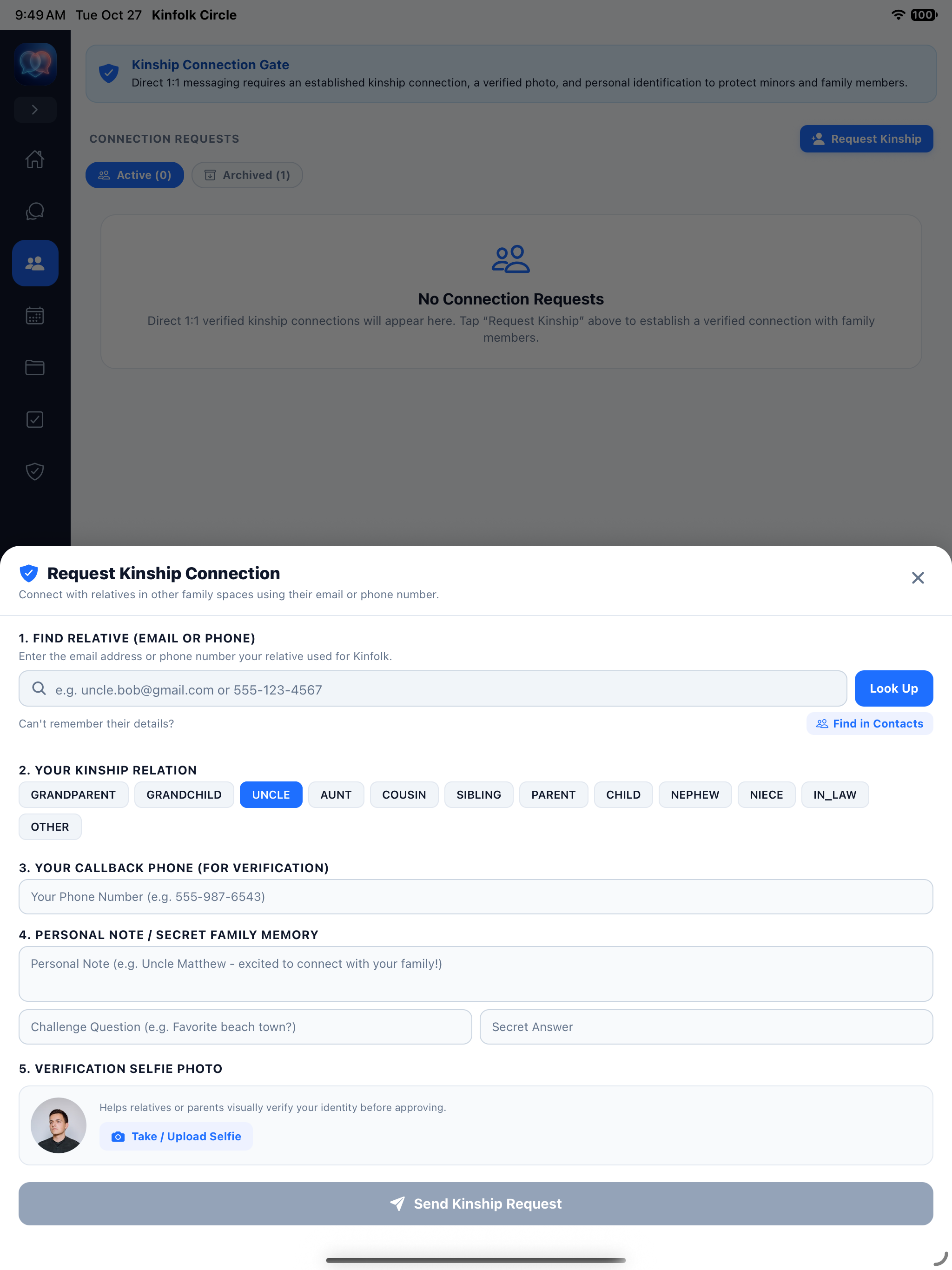
Direct 1:1 messaging requires an established kinship connection, a verified selfie photo, and personal identification to protect minors and family members. Strangers can never browse, search, or DM your children.
-
Exact Email or Phone Lookup: No public directory—relatives must know the exact email or phone number or match via verified contacts.
-
Explicit Kinship Relation Tagging: Connections specify their exact family role (Grandparent, Uncle, Aunt, Cousin, Sibling, Parent, Child, In-Law).
-
Secret Family Memory & Challenge Question: Requesters include a personal note and secret family memory challenge answer.
-
Verification Selfie & Callback Number: Parents visually verify the relative's selfie photo and callback phone before approving.
Find Relative & Role
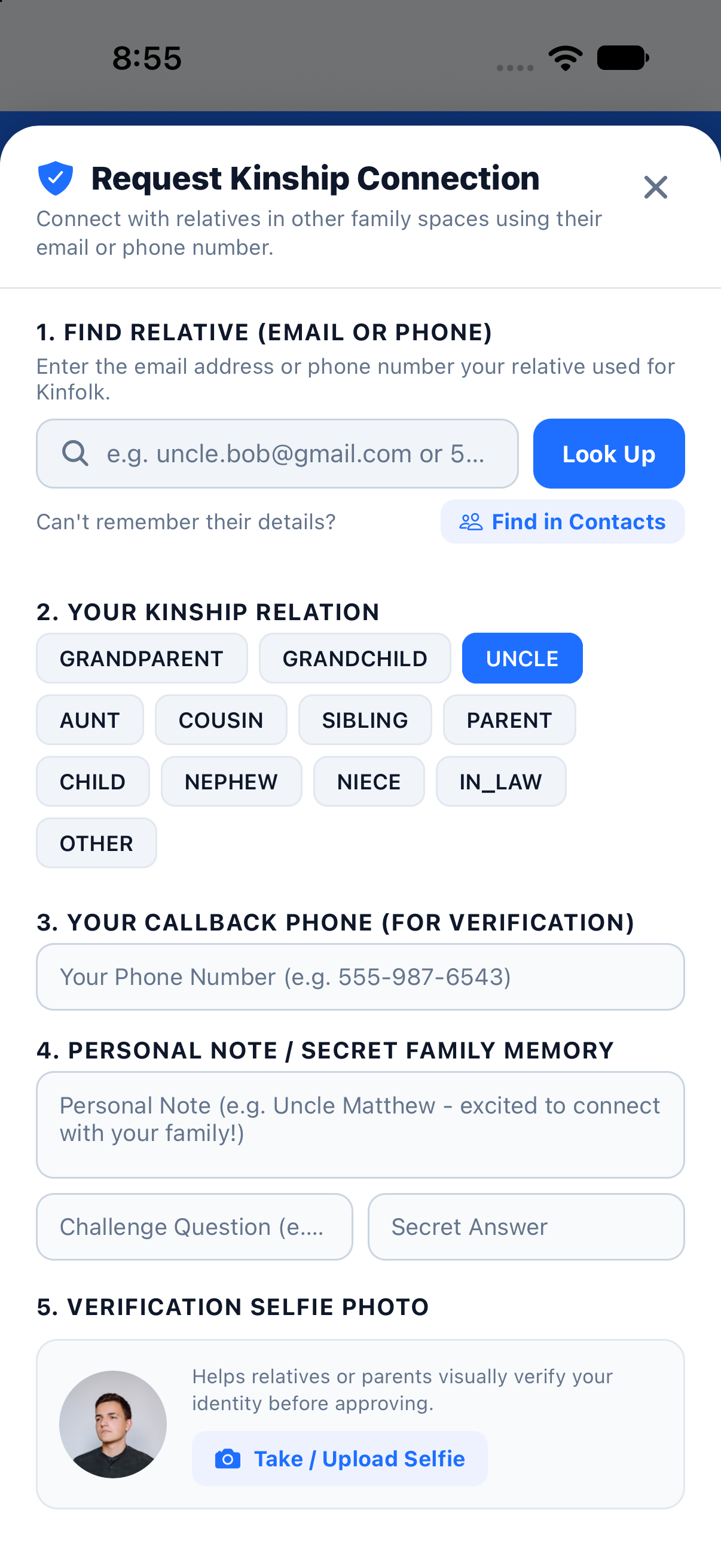
Enter the relative's exact email or phone and select the kinship relation (Grandparent, Uncle, Aunt, Cousin, etc.).
Callback Phone
Provide a verified callback phone number so parents or family heads can confirm identity out-of-band if needed.
Secret Family Memory
Add a personal note plus a Challenge Question and Secret Answer only real family members would know.
Verification Selfie
Snap or upload a verification selfie photo so parents and relatives visually confirm identity before approving.
Real-Time Calendar RSVPs & Event Discussion Threads
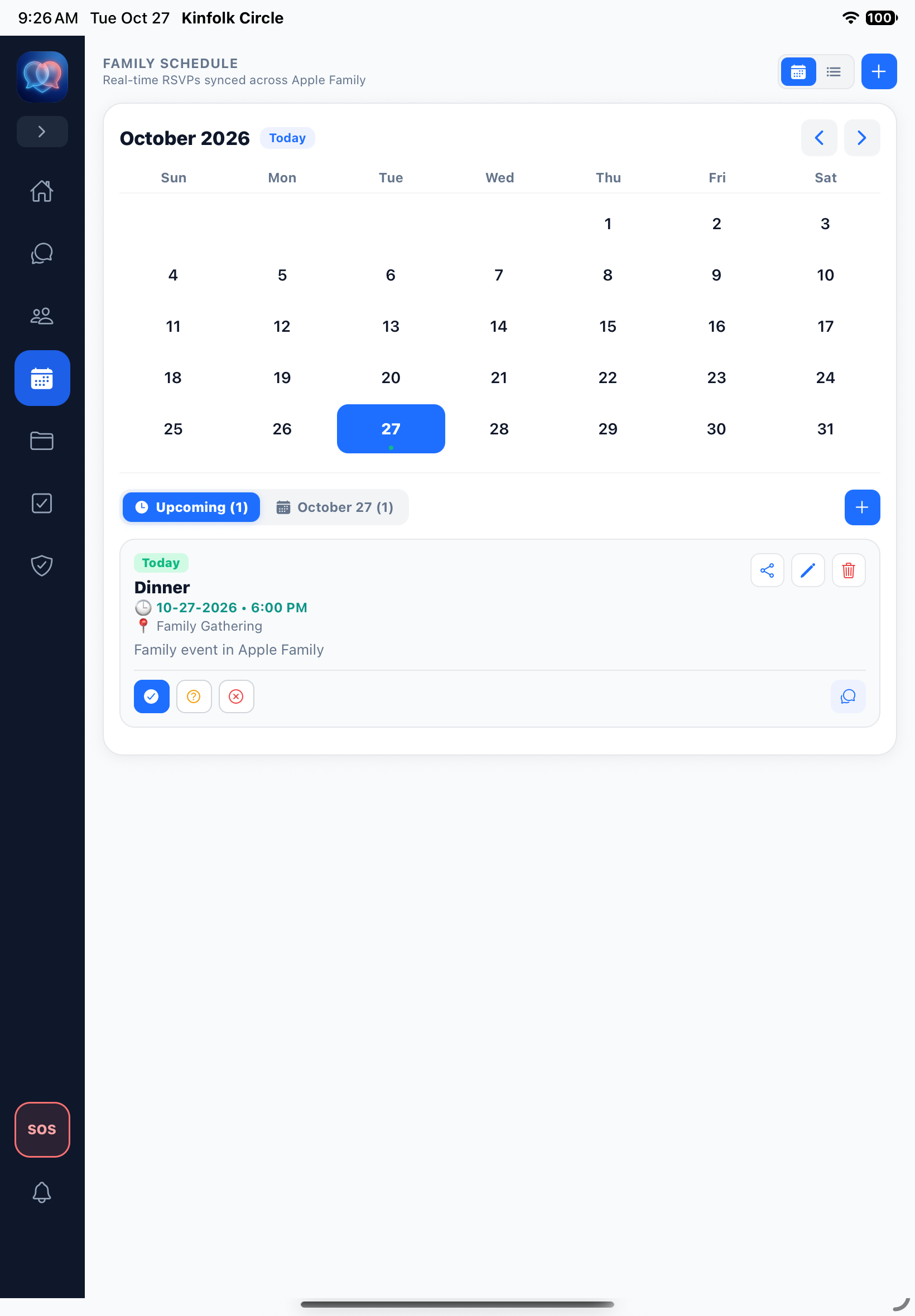
Keep the whole household in sync without endless "Who's coming to dinner?" texts. Kinfolk Circle's Family Schedule combines monthly and list views with instant RSVPs and dedicated per-event discussion rooms.
-
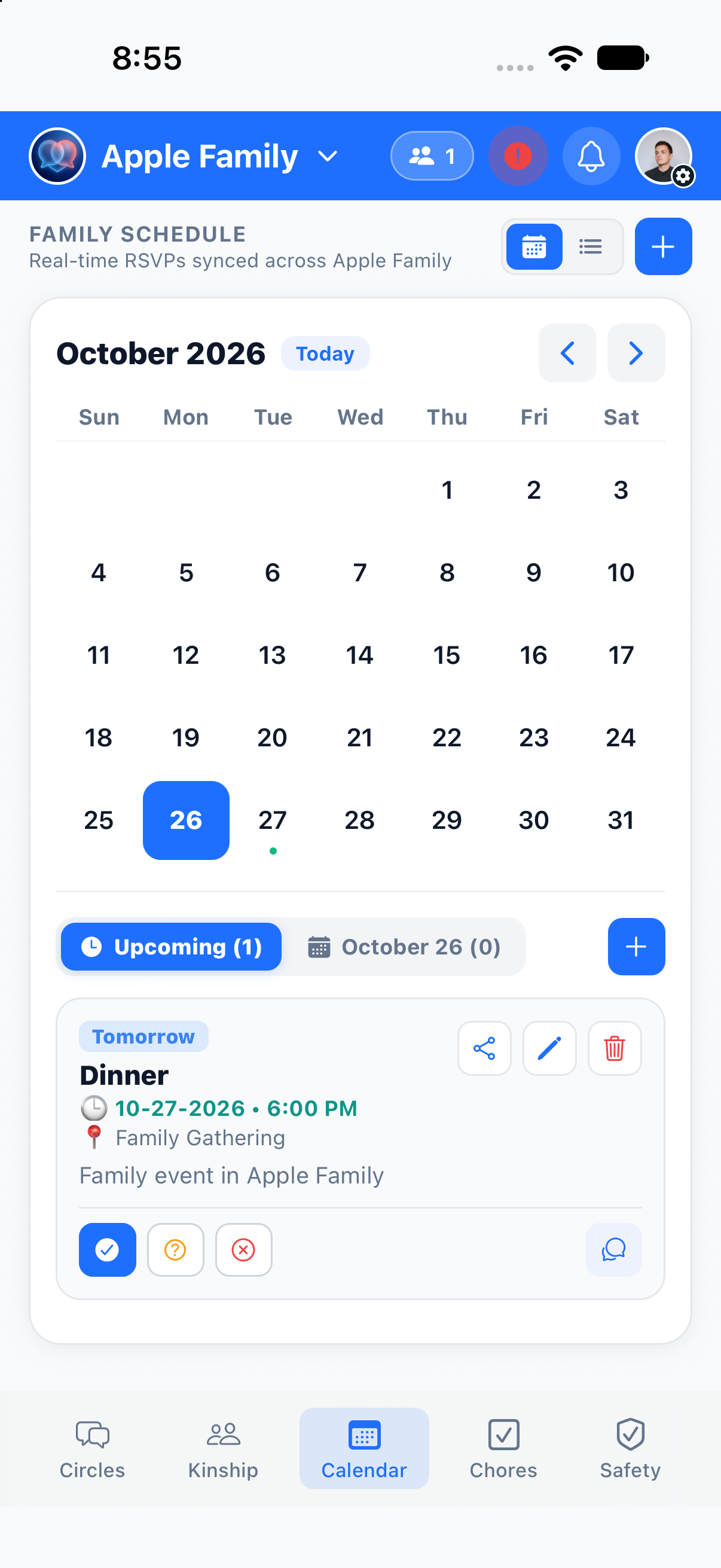
One-Tap Synced RSVPs: Family members mark ✓ Going, ? Maybe, or ✕ Can't Go with live confirmed attendee badges.
-
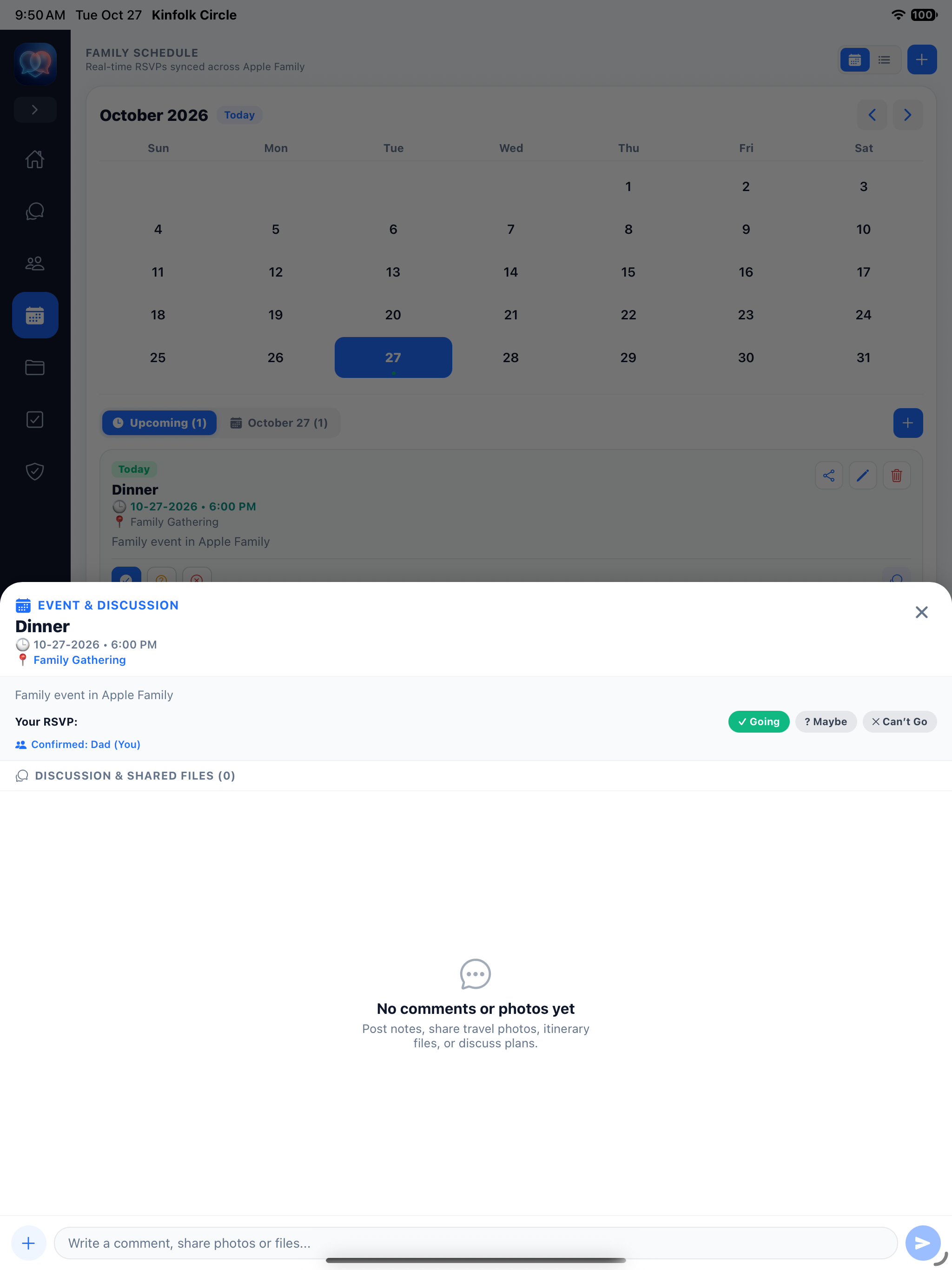
Event Discussion & Shared Files: Every calendar event has its own thread to post notes, share travel photos, attach itinerary files, or discuss plans.
-
Shareable Event Cards: Broadcast any calendar event directly into a family chat circle so everyone can RSVP inline.
-
Upcoming & Daily Filters: Switch between full monthly calendars, upcoming event queues, and specific date breakdowns.
Turn Household Chores into Star Points & Allowances
Motivate kids and keep track of household responsibilities effortlessly. Assign chores with custom star values, track completion status across the family, and convert stars into real allowance rewards.
-
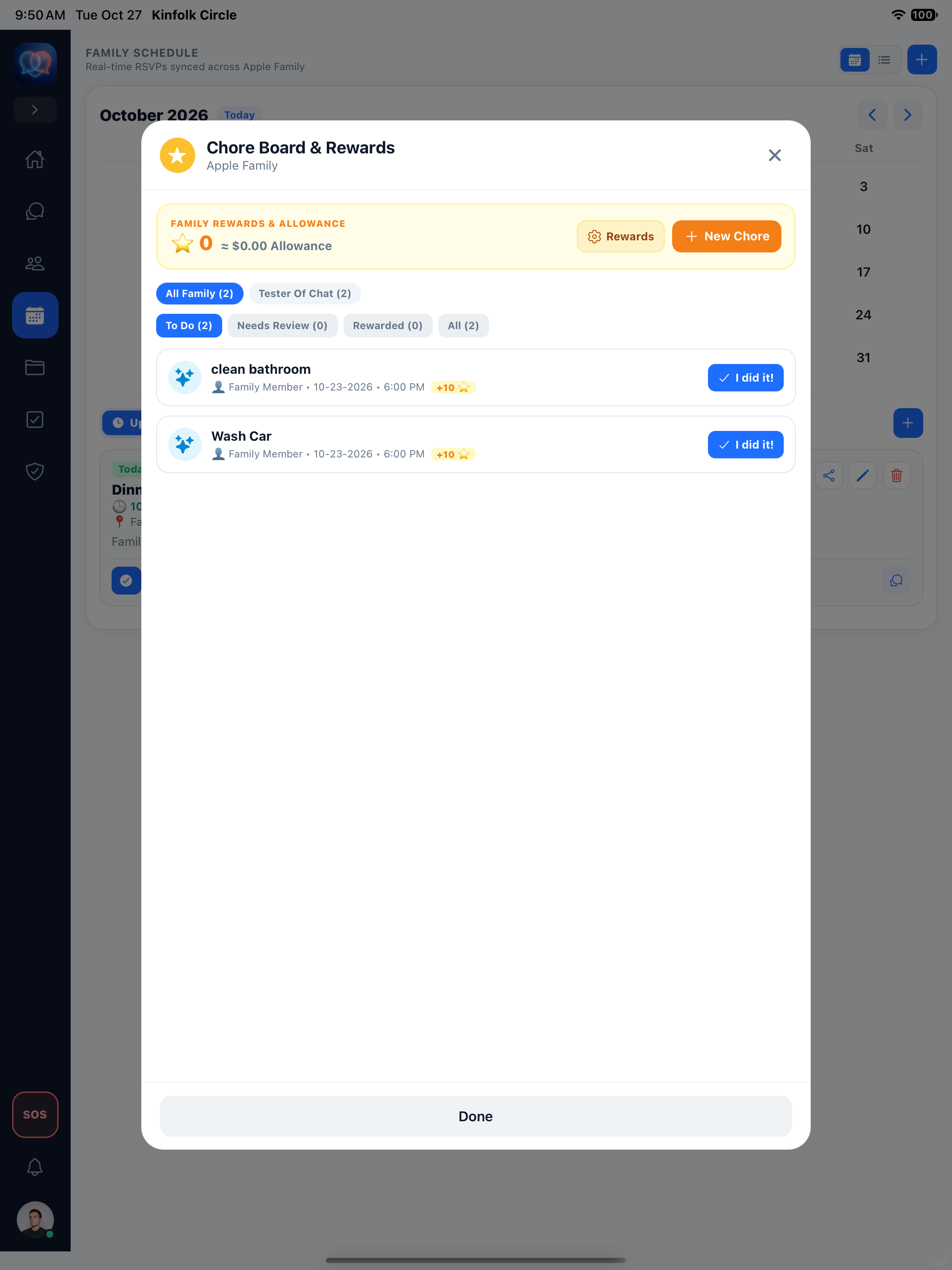
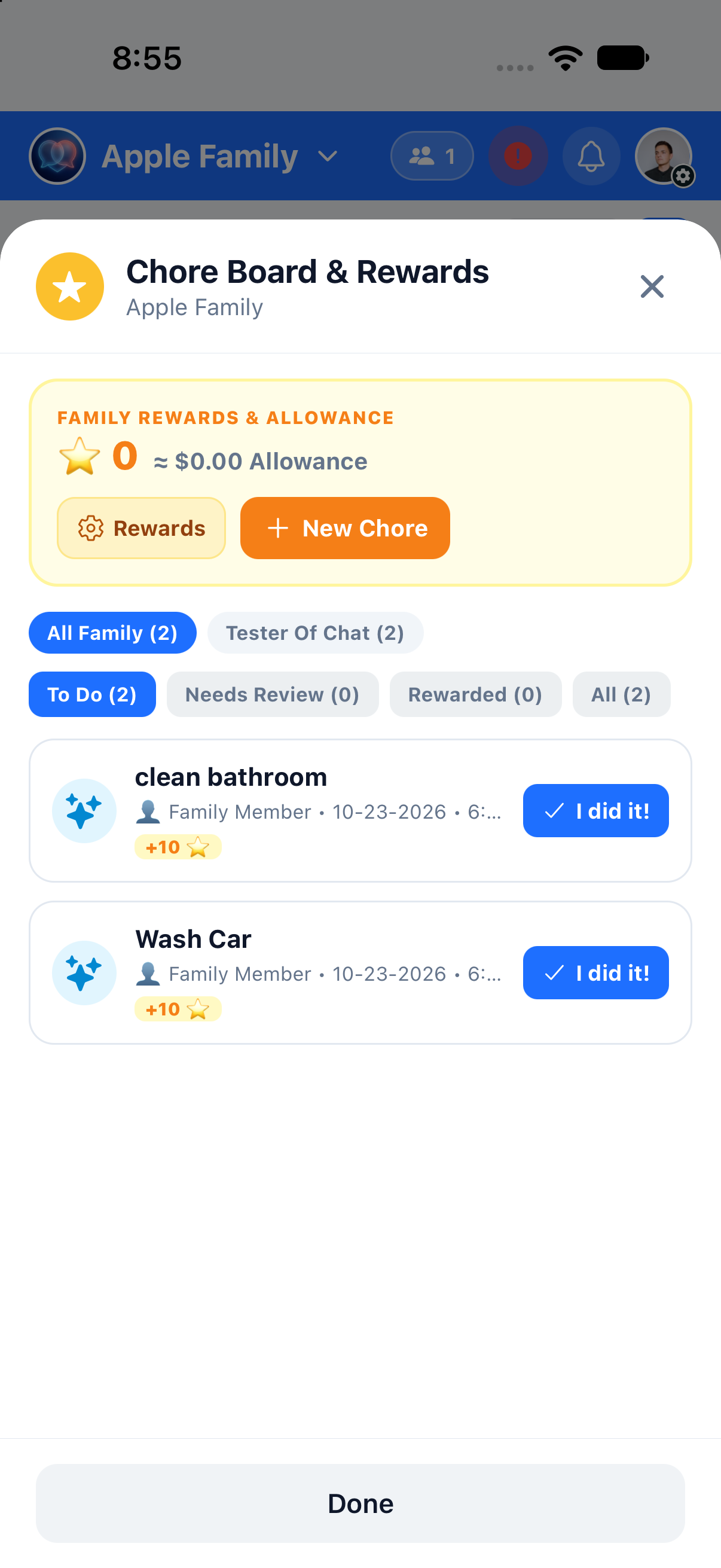
Star Points & Allowance Conversion: Track earned stars alongside automatic dollar allowance equivalents in the Family Rewards banner.
-
One-Tap "✓ I did it!" Submissions: Kids complete assigned chores like Wash Car (+10 ⭐) or Clean Bathroom (+10 ⭐) with a single tap.
-
Smart Status & Member Filters: Filter chores by family member or workflow stage (To Do, Needs Review, Rewarded, All).
-
Home Dashboard & Chat Integration: Chores appear automatically on the Family Hub dashboard and as interactive cards in chat.
Live Family Map, Mandatory Child Location & 12-Word Security Vault
Peace of mind in the real world and ironclad security in the cloud. Know where your kids are with Family Finder, mandate location sharing for minor accounts, and protect your family's encryption keys with a 12-Word Security Vault.
-
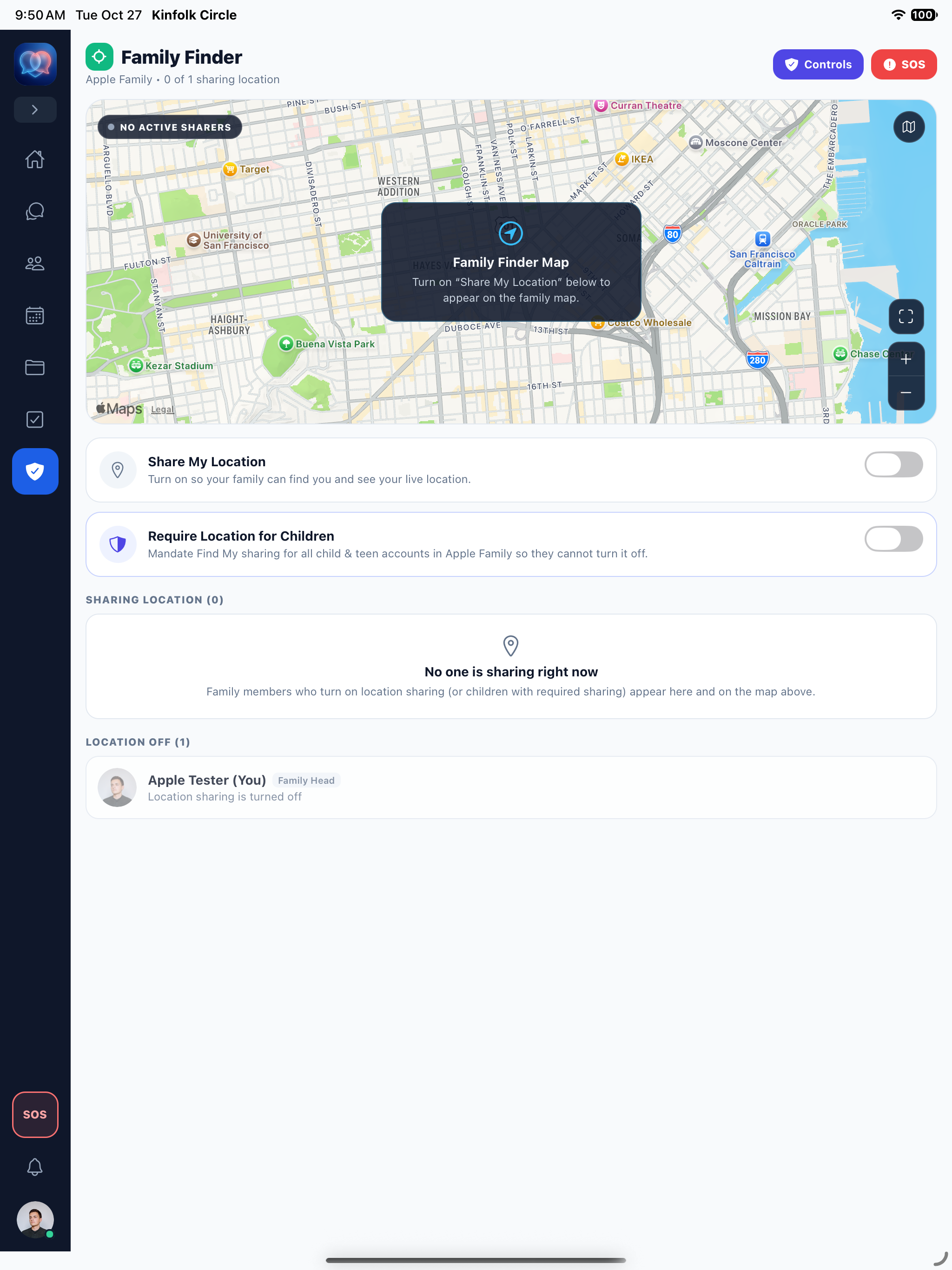
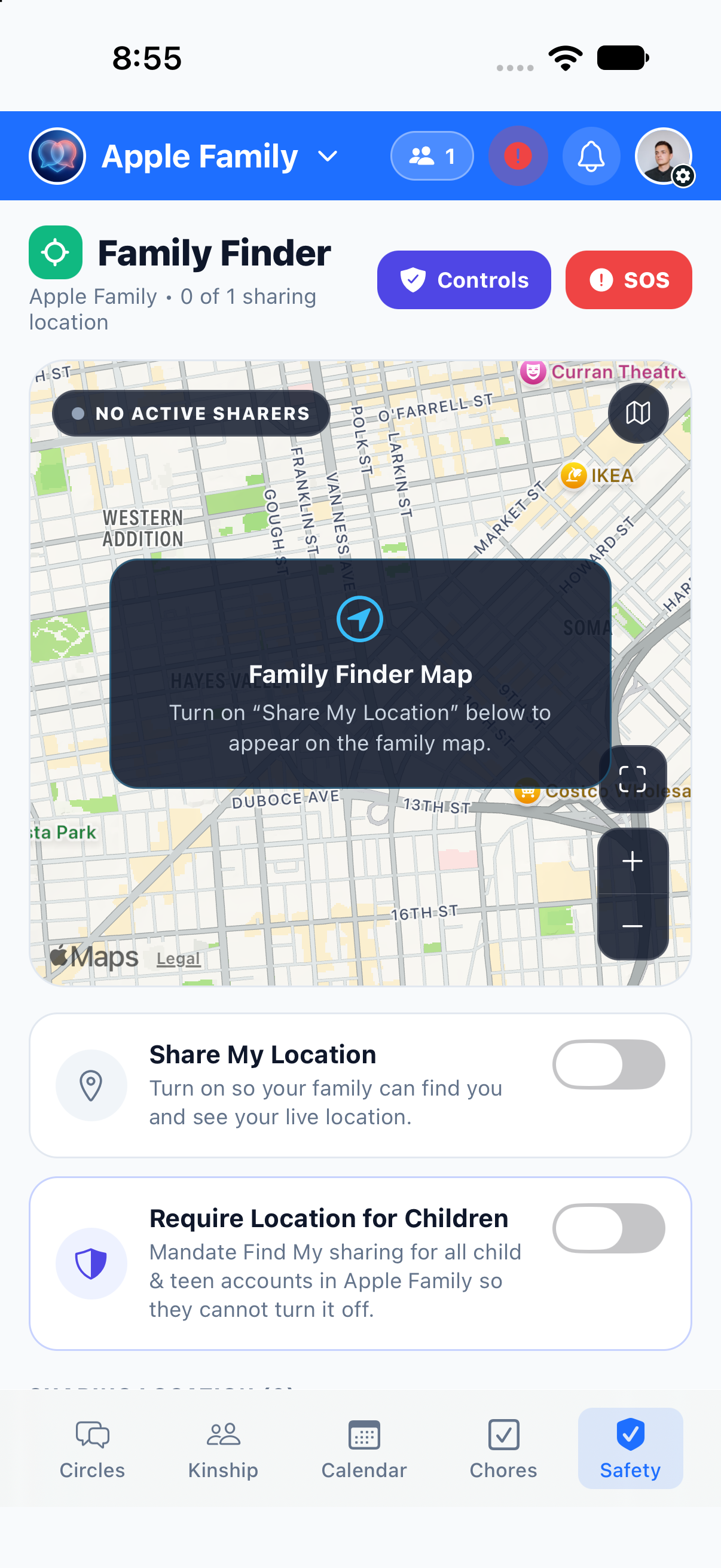
Family Finder Live Map: View family members on an interactive map with quick controls to toggle location sharing.
-
Require Location for Children: Parents can mandate location sharing for all child & teen accounts in the family so they cannot turn it off.
-
1-Tap Emergency SOS Beacon: Dedicated red SOS button in the navigation rail and Safety tab alerts family guardians immediately.
-
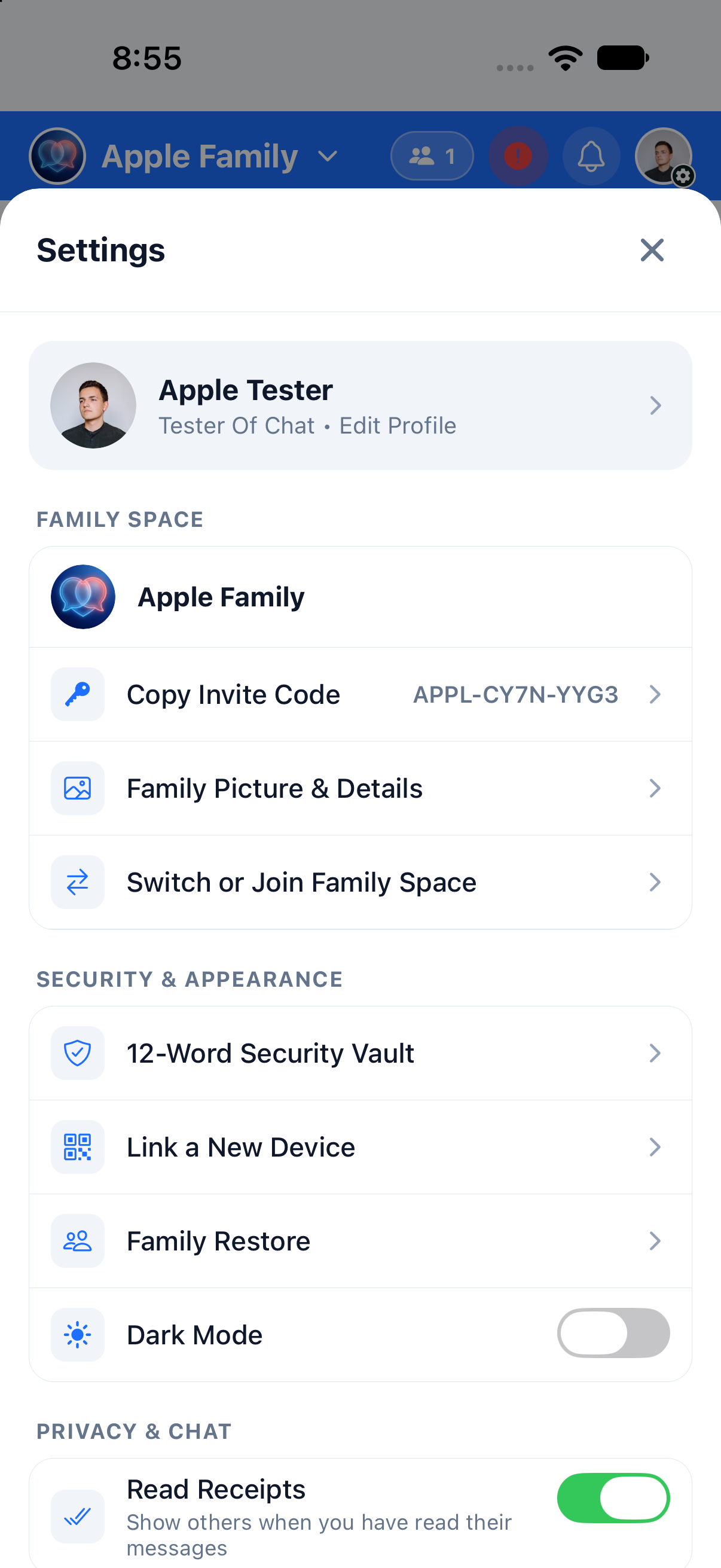
12-Word Security Vault & QR Device Linking: Back up your E2EE keys with a 12-word recovery phrase, link new devices via QR code, and use Family Restore anytime.
Explore Every Screen on iPhone & iPad
Click any screenshot below to inspect the high-resolution interface across iPhone 18 Pro and iPad Air (M4).
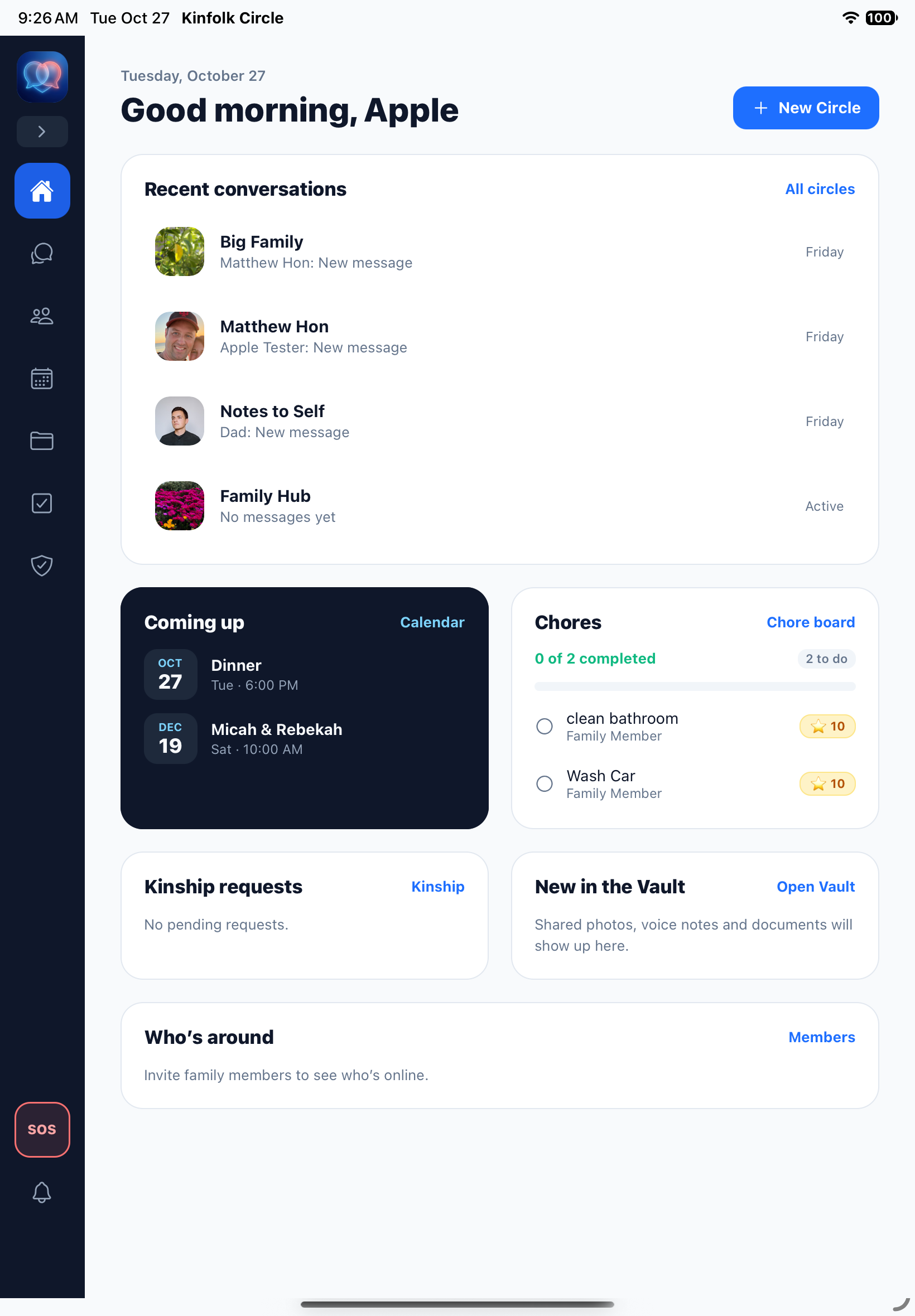
Filter between All, Circles, and 1-on-1 Direct Messages with quick access to Notes to Self and Family Hub.
Bridge two family spaces in one encrypted circle with photo sharing and inline Event RSVP cards.
Verify relatives with email/phone lookup, kinship role, callback phone, secret memory challenge, and selfie.
Monthly and upcoming family event views with real-time synced RSVPs across your household.
Gamified tasks with star rewards, allowance tracking, and one-tap "✓ I did it!" completion.
Interactive family map with optional mandatory location sharing for children and 1-tap SOS.
Copy family invite codes, switch family spaces, manage your 12-Word Security Vault, and link devices.
At-a-glance morning overview with Recent Conversations, Coming Up events, Chores, Vault, and SOS rail.
Multi-column tablet & desktop layout with inline Event RSVP and Chore Assigned cards.
Full-screen kinship verification workflow protecting minors and family spaces from unverified contacts.
Spacious monthly calendar grid paired with upcoming family event cards and instant RSVP buttons.
Dedicated comment & file-sharing thread inside every calendar event for itineraries and photos.
Widescreen Apple Maps view with active sharer status, child location mandate toggle, and SOS button.
How Kinfolk Circle Compares
Standard consumer messaging apps were built for public discovery or ad tracking. Kinfolk Circle was engineered from the ground up for family protection and household organization.
| Safety & Organizing Capabilities | Kinfolk Circle for Families | WhatsApp / iMessage | Discord / Social Apps |
|---|---|---|---|
| 5-Step Kinship Gate with Selfie Verification | ✓ Mandatory (Selfie + Secret Memory) | ✕ Anyone with number can message | ✕ Strangers can DM directly |
| Extended Family Bridging (Private Chores/Vault) | ✓ Bridges Spaces Safely | ✕ Flat group chats only | ✕ Public/semi-public servers |
| Zero-Knowledge E2EE & 12-Word Security Vault | ✓ Yes + QR Device Linking | Partial / Cloud Backup Keys | ✕ No E2EE on Discord |
| Integrated Family Schedule & Event Threads | ✓ Built-in RSVPs & Event Chat | ✕ None | ✕ None |
| Gamified Chore Board with Star Rewards | ✓ Stars + Allowance Conversion | ✕ None | ✕ None |
| Family Finder Map + Child Location Mandate + SOS | ✓ Built-in Map & 1-Tap SOS | ✕ Separate app / manual share | ✕ None |
| Ad-Free & Zero Data Monetization | ✓ 100% Private Sanctuary | Metadata profiling | Targeted ads & data tracking |
Frequently Asked Questions
Everything you need to know about setting up your family space, bridging extended relatives, and logging in.
kinchat.cloud without ever exposing your keys.
kinchat.cloud/app, or sign in on your iPhone, iPad, or Android device.